08/07/2026 0 Comments
Guide to Sunday Services 'Behind the Scenes' Ministry - including Audio, Communion Set Up, Early Duties and Clearing Away
Guide to Sunday Services 'Behind the Scenes' Ministry - including Audio, Communion Set Up, Early Duties and Clearing Away
# Guides
Guide to Sunday Services 'Behind the Scenes' Ministry - including Audio, Communion Set Up, Early Duties and Clearing Away
‘Behind the Scenes’ Ministry: A Guide for the Different Roles & Responsibilities
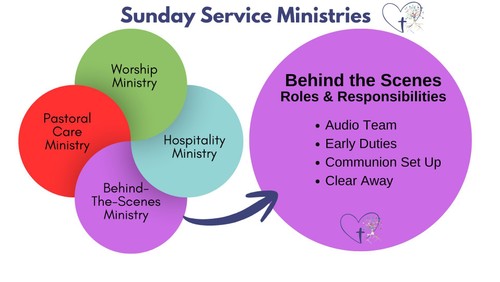
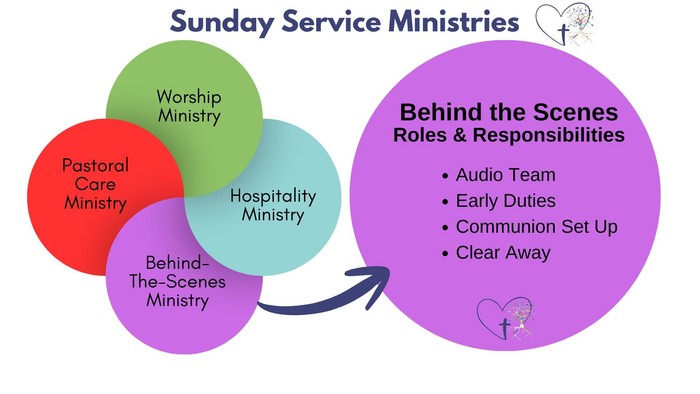
Includes: Audio, Communion Set Up, Early Duties, Clear Away
Purpose: To ensure the equipment, resources and support are available and working well, so that people can participate in worship comfortably and resources are stewarded well.
Helpful People – to ask for more info: Sera, Paul, Sue
Practical Info about the Specific Roles and Responsibilities
Audio Team
Who responsible? See the rota for who from the Audio Team is on duty each week.
Purpose: To ensure that the congregation can connect with the service through being to hear clearly all the different contributors)
Essential Tasks
Sound-check all mics before the service
Monitor & control sound throughout the service (sitting in the back half of the church)
Trouble-shoot audio issues throughout the service,
Pack away the audio kit after the service and place it on the piano.
Helpful Detail
You need to be at church by 9.45, and gather the Audio Kit from near the piano. (If you can arrive earlier at 9.25 you can also do the initial Audio set up of plugging in the batteries & Tablet, and setting up the mics and cables for the musicians. If that’s not possible, the Early Set Up team will do it)
Check that there’s good power levels in the batteries and Tablet, if not then get an extension lead and plug the Tablet in to charge near where you are sitting
There are 2 ‘Over the Ear’ headsets for service leader/ preacher or presider. They are stored separately in 2 black cases, and must be put back in the after the service. Attach them to the normal radio mic transmitters (remember to screw the connector into place)
Stand in the back half of the church and use the Tablet to check volume and clarity levels of all microphones before the service starts (including vocals, radio, lectern and instruments)
The lid of the Audio Box has information about the position of the over-ther-ear mics for & also the EQ setting for Sera and Paul
Remember to mute and unmute channels throughout the service.
Trouble-shooting: If sound is buzzing or echoing then check the following: 1) the position of the speakers, 2) the volume of the individual mics, 3) the EQ setting for a mic (adjust it by clicking on the EQ button for a specific channel). The Service Help A4 Folder will have more trouble-shooting info in (located near the Welcome Desk and Piano)
Gather all equipment together including microphones, batteries, chargers, cables and Tablet into the Audio Box after the service and place on the piano. The 2 ‘Over the Ear’ mics need storing separately in the black cases. (The Clear Away team will take them back to the office)
Communion Set Up
Who responsible? See the rota for who is on duty (from Assistant Wardens, Clergy and others)
Essential Tasks
Set Up the communion cups, plate, jugs, and purificators appropriately on the Communion Table
Ensure the following are set out: a large Priest’s Wafer, 40-60 smaller wafers; wine and water in the jugs, juice in the small cup, gluten-free wafer pot
Light the candles at about 9.45
After the service, clean and clear away all the Communion equipment into the box, and either place in the safe or leave on the Communion Table
Helpful Information:
There is a photograph available to show how the table should be set up (either look on the Communion Table or in the Service Help A4 folder by the Piano and the Welcome Desk)
Monitor numbers arriving, and if by the second song you think more wafers or wine is needed, feel free to go and add them during the song.
To clean the equipment either rinse with water from the tap, use wipes or bring a flask of water and a cloth with you
Wafers and wine are stored in the Pulpit, the plate and cups are in the Safe in the storeroom and purificators are in the wooden drawers in the storeroom.
Early Duties
Who responsible? Clergy and/or Sue (unless unavailable in which case, a person will be named on the rota)
Essential Tasks
Opening the church & turn off the alarm
Unlocking the school car park (1178)
Getting the service resources out of the Office and Storeroom (Note you do NOT need to set up the Communion Table)
Audio: Turn on sound, start charging batteries & tablet charging, make sure microphones are in the right place.
Setting up the laptop, the projector & the relevant Proclaim presentation
(If 8.30- then set up the microphone, communion table, and get out the liturgy booklets)
Helpful Information:
The resources needed include: The Blue Book, Projector, Laptop, Audio Box, Headsets & Communion Kit,(plus Mustard Seeds register). If weddings banns are being read, then include the book that too.
Projector and monitor set up by 9.20 so that the musicians can use it for practice
Clear Away
Who responsible? Wardens and Clergy (unless all unavailable in which case, a person will be named on the rota)
Essential Tasks
Count & record the cash from the plate and collection box, and ensure it’s placed in the Safe
Return Laptop and Headsets to the office
Return Communion Kit to the Safe
Ensure Audio Box & Projector remain out and accessible for the Ethiopian Church
Lock the School Car Park is locked
Turn off lights, blow out candles and make sure the urn and the heaters are all off
Helpful Information
On some weeks, other people might have done some of the Clear Away tasks. But it is the responsibility of those doing Clear Away Team to check that all tasks are done.
If you don’t have the right keys, ask Paul, Sera or Sue for access
Approach this as a team work effort and check in with one another about what is being done
Most weeks the Ethiopian Church or Messy Church are happening in the afternoon, so the church does not need locking. But if it’s not happening then a lock up is needed (check Church Desk)

Comments